
On November 12, 2026, businesses around the world experienced disruptions to Microsoft 365 services, leaving many employees unable to access email, schedule meetings, or use the tools they depend on throughout the workday.
While Outlook received much of the attention, the outage extended beyond email, affecting several Microsoft applications and cloud services.
The widespread disruption served as an important reminder: even the technology platforms businesses rely on every day can experience unexpected downtime.
For organizations using Microsoft 365, having a reliable IT support partner and a business continuity plan can make a significant difference when problems arise.
What Happened During the November 2026 Microsoft Outage?
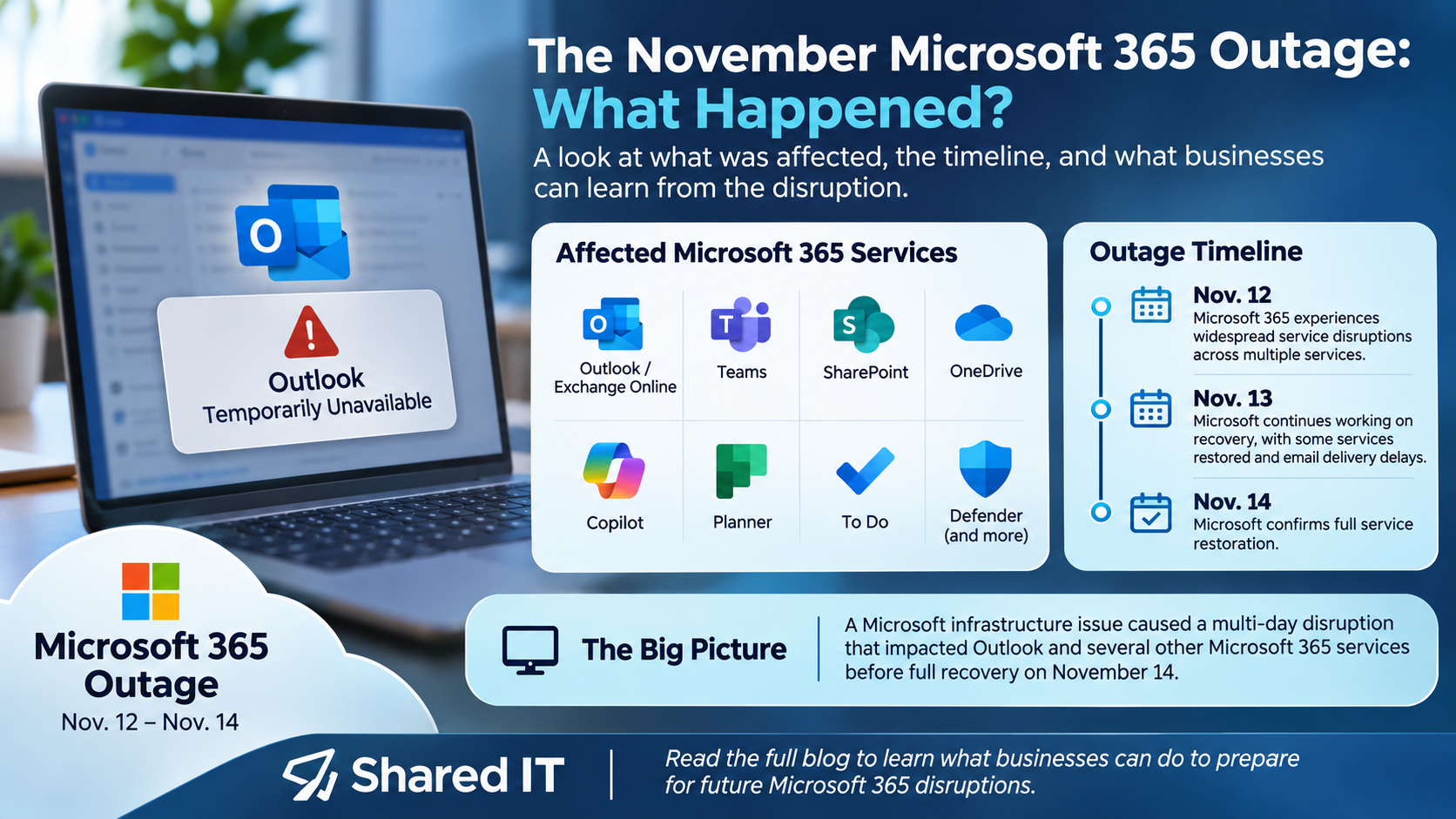
On Thursday, November 12, Microsoft began experiencing widespread service disruptions that affected users across multiple regions.
The problems continued into Friday, with Microsoft working to restore affected services and address delayed email delivery. Microsoft confirmed full service restoration on November 14.
The disruption was associated with infrastructure and server availability issues. Microsoft also stated that it had found no indication of malicious or cyber activity.
For businesses, the impact extended beyond the inconvenience of an inaccessible inbox. Employees experienced interruptions to communication, scheduling, collaboration, and daily operations.
Which Microsoft 365 Services Were Affected?
The outage impacted multiple Microsoft services, although the exact issues varied by user and organization.
Microsoft Outlook and Exchange Online
Users reported difficulty accessing inboxes, sending and receiving messages, and connecting to email accounts. Some experienced delayed email delivery even as services began recovering.
Microsoft Teams
Some users experienced issues with meeting scheduling, calendars, and certain chat features. Core messaging and meeting functionality remained available for many users.
Microsoft SharePoint and OneDrive
Users reported issues with Microsoft 365 file access and related features. Some SharePoint functionality that depended on Exchange Online was disrupted, although direct access to stored files remained available in many cases.
Microsoft 365 Copilot
Microsoft’s AI-powered assistant experienced disruptions, including problems accessing work-related information and generating responses.
Additional Microsoft Services
Other affected tools and features included Microsoft Planner, To Do, Defender, Intune, and certain Microsoft 365 administrative functions.
For organizations that use several Microsoft applications together, a disruption in one service can quickly affect multiple parts of the workday.
Why Microsoft 365 Downtime Matters for Businesses
Microsoft 365 has become a central part of daily business operations. From Outlook email and Teams meetings to SharePoint document management and cloud-based collaboration, these tools help employees stay connected and productive.
When services become unavailable, businesses may experience:
- Delayed communication with customers and vendors
- Interrupted employee collaboration
- Difficulty accessing important information
- Missed or delayed meetings
- Reduced productivity
- Increased requests for technical support
For businesses that rely heavily on cloud-based technology, even temporary service interruptions can affect customer service and internal operations.
The goal isn’t to eliminate every possible disruption. It’s to make sure your business is prepared to respond when one occurs.
Five Ways to Prepare Your Business for Microsoft 365 Outages
1. Have a Business Continuity Plan
Every organization should have a plan for maintaining essential operations when important technology becomes unavailable.
This includes identifying critical applications, establishing alternative communication methods, and making sure employees understand what to do during an outage.
2. Work With a Reliable Managed IT Provider
When Microsoft 365 stops working, employees may not know whether the problem is related to their computer, internet connection, company network, or Microsoft’s services.
A managed IT services provider can help identify the source of the problem, monitor service advisories, and communicate updates to employees.
While an IT provider cannot resolve Microsoft’s infrastructure problems, having knowledgeable support can reduce confusion and unnecessary troubleshooting.
3. Review Your Microsoft 365 Configuration
Microsoft 365 offers a wide range of business applications, security features, and administrative settings.
Proper configuration helps organizations manage users, control access, maintain security, and make better use of their Microsoft 365 subscriptions.
Regular reviews can also identify outdated settings, unused licenses, and opportunities to improve the environment.
4. Strengthen Microsoft 365 Security
An outage isn’t necessarily a cybersecurity incident, but it is a reminder of how important technology resilience has become.
Businesses should regularly review Microsoft 365 security settings, including:
- Multi-factor authentication (MFA)
- User access permissions
- Email security and phishing protection
- Administrative privileges
- Security monitoring
- Data protection and backup policies
A properly secured Microsoft 365 environment can help reduce cybersecurity risks and protect important business information.
5. Evaluate Your Backup and Disaster Recovery Strategy
Cloud-based services provide convenience and accessibility, but organizations should still understand how their information is protected.
Microsoft 365 backup and disaster recovery planning can help businesses prepare for accidental deletion, data loss, cyberattacks, and other incidents.
It’s important to understand that backups do not necessarily restore access during a Microsoft-wide outage. However, they are an important part of a broader data protection and business continuity strategy.
How Shared IT Supports Microsoft 365 for Businesses
Microsoft 365 is more than an email platform. It’s a collection of productivity, communication, collaboration, and security tools that businesses rely on every day.
At Shared IT, we help organizations implement, manage, and support their Microsoft 365 environments so they can focus on running their businesses.
Our Microsoft 365 services include:
Microsoft 365 Licensing and Subscription Management
Choosing the right Microsoft 365 licenses can help businesses access the tools they need without paying for unnecessary features. Shared IT can help organizations evaluate licensing options and manage their Microsoft 365 subscriptions.
Microsoft 365 Setup and Migration
Whether you’re moving to Microsoft 365, migrating business email, or setting up a new environment, Shared IT helps make the transition as smooth as possible.
Microsoft 365 Administration and Support
From managing users and permissions to troubleshooting Outlook, Teams, and SharePoint issues, our team provides ongoing support for your Microsoft 365 environment.
Microsoft 365 Security Management
Shared IT helps businesses strengthen their Microsoft 365 security through configuration reviews, authentication policies, administrative controls, and ongoing monitoring.
Managed IT Services and Business Continuity
Beyond Microsoft 365, Shared IT provides managed IT services, technical support, monitoring, and technology guidance to help businesses prepare for disruptions and maintain reliable operations.
Make Sure Your Microsoft 365 Environment Is Working for You
The November Microsoft outage highlighted how much businesses depend on cloud-based technology.
While no organization can completely eliminate the risk of service disruptions, having the right technology strategy, security measures, and IT support can help minimize their impact.